Google UX Challenge (Braven Club)
Bazaar: Garage Sale Experience
A mobile app concept that helps sellers inventory their goods and helps bargain hunters discover garage sales. Top 3 winner of a Google UX Challenge.

Overview
Making garage sales easy to find
Bazaar is a mobile app concept from a Google UX Challenge run by Braven Club. The brief asked for an app that helps sellers intelligently inventory their goods and helps bargain hunters find the needle in a haystack.
I worked solo as UX designer and UX researcher, using Figma, Jira, Slack and G-Suite. I took the concept from a survey of 20+ people through sketches, wireframes, a 10+ screen prototype and usability testing.
The concept placed in the Top 3 of the challenge, out of 18+ participants.
Problem
Garage sales are hard to run and hard to find
Problem statement
Preparing your own garage sale is often a daunting task. It is also difficult for potential buyers to discover your merchandise. Create an app concept that makes it easier for sellers to intelligently inventory their goods, and helps bargain hunters find the needle in a haystack.
Problem breakdown
Buyers find it difficult to find merchandise
Sellers need an easy way to market their garage sale
Create an easy mobile-app solution
Research
Buyers and sellers
I aimed to learn more about my two user groups: buyers and sellers. I conducted a short survey and gathered insights from 20+ participants, which helped me understand their pain points.
Survey observations
63.2% of the people surveyed are between the ages of 18-25
57.9% have purchased items from a garage sale
68.4% would come to a garage sale on Saturdays and Sundays
31.6% would spend between $5 - $10 during a garage sale
Direct quotes
“I’m always on the lookout for bargains, but it is hard to know what’s available at garage sales”
“I struggle to attract buyers to my garage sales; I need better visibility for my merchandise”
“I’m a frequent garage sale shopper but it is a hassle to discover new sales in my area”
Proposed UX goals based on insights
Understand the challenges of preparing for a garage sale from the seller’s perspective
Identify pain points in current inventory management practices for garage sale sellers
Explore the difficulties buyers face in discovering relevant merchandise at garage sales
Gather insights on how technology can improve inventory organization and product discovery for garage sales
User personas
Based on user research, I created a buyer and a seller persona. These helped me understand my users’ journey with garage sales and their pain points along the way.


User stories
I want to browse affordable household items for my toddler, so that I can save time and money.
I want to list my inventory easily and sell various items, so that I can declutter easily without the hassle of waiting for buyers.
These personas and stories helped me identify the features that are helpful for users: available items, timing, locations, communication, pictures and a map.
Ideation
Sketches to wireframes
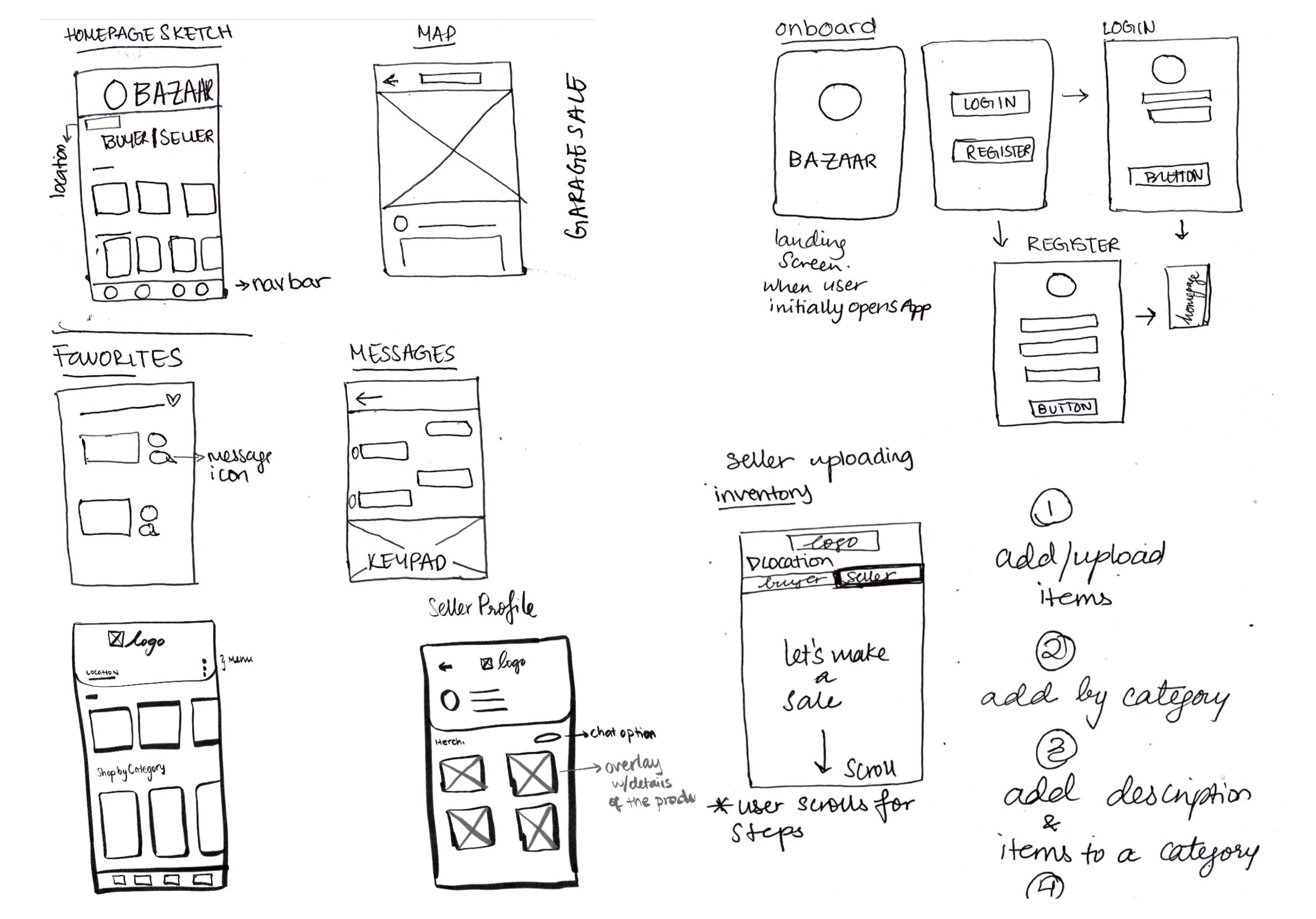
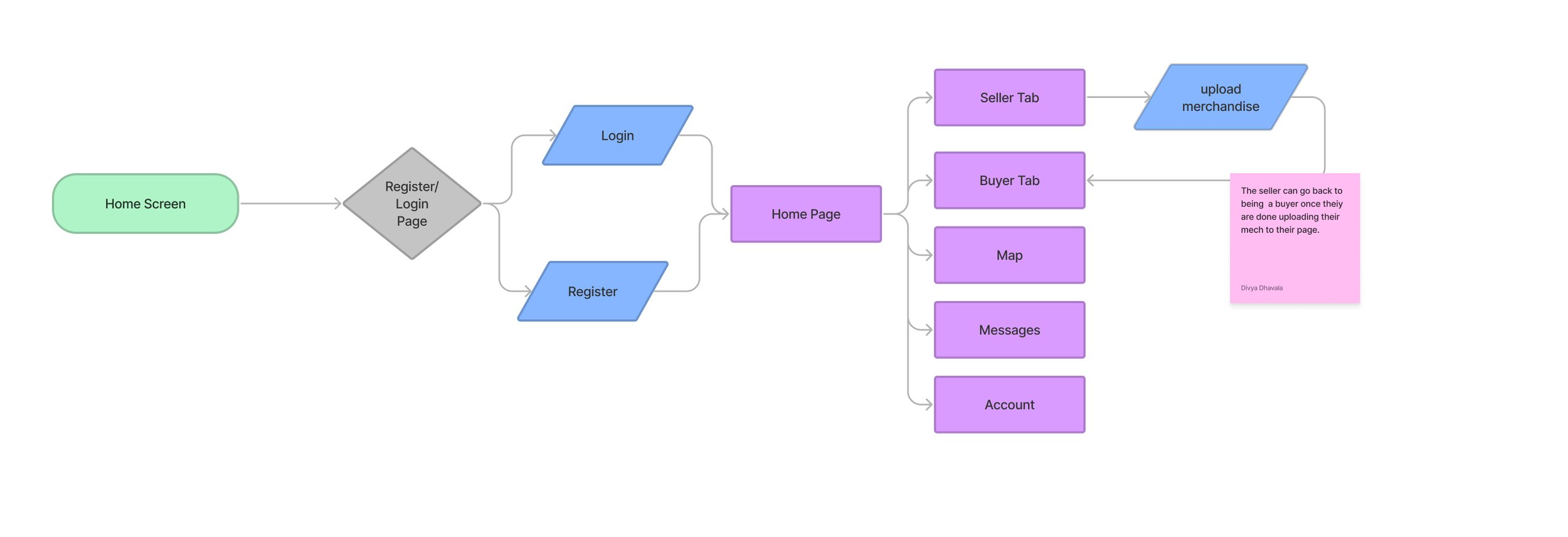
I started with sketches, wireframes and user flow diagrams, and eventually moved to the first UI screens.
Sketches
User flow
Wireframes

Designs
Mockups and testing
Primary design mockups
I developed an initial prototype to test the features. I created 10+ screens and prototyped iterations from the initial onboarding process to scrolling through a seller profile.

Validating designs
I ran a short usability test with 5 participants to improve the initial prototype. The results exposed issues with navigation, layout clarity, and functionality, and I incorporated the feedback into my final designs before presenting to the judges. Method: Figma prototype link, Zoom monitoring, note observations.

Prototype preview
Lessons
My first solo challenge
This was my first solo challenge, and I hit technical hurdles that demanded resilience and adaptability. Despite setbacks, I took the opportunity to learn Figma, expanding my design toolkit.
Navigating design tools
Mastering new tools
Applying Design Thinking principles


